It looks like you're using an Ad Blocker.
Please white-list or disable AboveTopSecret.com in your ad-blocking tool.
Thank you.
Some features of ATS will be disabled while you continue to use an ad-blocker.

New help with getting new PC
page: 1share:
Now I'm going to get a new PC my current one is on really outdated technology but here my problem I want to keep all the stuff on my current PC.
Now here the PC I want:
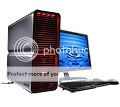
The spec's are:
-Intel® Core™2 Extreme processor x6800 (2.93GHz)
-1GB Dual Channel DDR2 SDRAM at 667MHz - 2 DIMMs
-Single Drive: 16X CD/DVD burner (DVD+/-RW) w/double layer write capability
-Dual 512MB nVidia GeForce 7900 GTX
-AGEIA® PhysX® physics accelerator
-Sound Blaster® X-Fi™ XtremeMusic (D), w/Dolby® Digital 5.1
-13 in 1 Media Card Reader and 3.5 in Floppy Drive
As you can I'm not going to any hard drive's I need to know if I plug in my hard drive will I still have all my stuff, or I have to reinstall my Window XP and get try to get all of my stuff on my old PC back?
[edit on 13-8-2006 by El Che]
Now here the PC I want:
The spec's are:
-Intel® Core™2 Extreme processor x6800 (2.93GHz)
-1GB Dual Channel DDR2 SDRAM at 667MHz - 2 DIMMs
-Single Drive: 16X CD/DVD burner (DVD+/-RW) w/double layer write capability
-Dual 512MB nVidia GeForce 7900 GTX
-AGEIA® PhysX® physics accelerator
-Sound Blaster® X-Fi™ XtremeMusic (D), w/Dolby® Digital 5.1
-13 in 1 Media Card Reader and 3.5 in Floppy Drive
As you can I'm not going to any hard drive's I need to know if I plug in my hard drive will I still have all my stuff, or I have to reinstall my Window XP and get try to get all of my stuff on my old PC back?
[edit on 13-8-2006 by El Che]
Nice choice of hardware. What mobo? if you retain your current mobo - no problems using the old OS drive. The new machine's mobo (if different) will
likely support your old HDD (likely a PATA-IDE), however your OS installation on that drive from the old box is pretty much toast on any other build.
If you can, save out all your data that you wish to keep (address book, desktop items, my docs, Offiice PST files, email dbx files, iaf, media files, favorites, etc. - anything you value) to a physical media like optical disk or another HDD, preferably both. Backup the old system to a system image file too (eg. ghost or tape), if possible.
Do your clean-build on the new box and make a system image backup copy (use a fresh drive if possible) and then you could try networking the two (new and old) together and use the "File Settings And Transfer Wizard" to import the data (works most often but not always). Some third-party import softwares do the same... had trouble with them too.
Should that fail, copy the data from the optical or HDD physical copy made from the stuff on your old box to the appropriate spots on the new OS and import the address book and PST files and other app data using the utilities for that in the application. Don't forget about "other" devices such as PDA's, many have backup utilities and/or methods to "save-out" the user files.
Just plugging in the old HDD to the new box spells disaster on XP (it might be "doable" but it would be neither pretty nor clean and without registry work)... on old WIN 95/98 systems you could do that most times, OK-ish, after removing all hardware within the Device Manager and doing a hard-shutdown.
WINXP installs are bound (via product and and user unique identifiers) at the hardware level and pick up procs, hdd, controllers, chipsets, asset numbers, slot occupancy, etc and changing any combination of more than two or three items will require the MS re-activation process (which depending on your circumstance MS could choose to deny or grant at their discretion). For more specifics hunt around for one of the MS bulletin boards or news groups populated by MCSE-types. What precisely can be changed? That's a bit fuzzy and I've had no satisfactory comprehensive explanation of "the rule" by any MS folks that I trust or MSCE's that we employ.
Also don't just plug the old drive in as a slave to copy to master (new OS drive) - Big corruption troubles with recycle bins and surprisingly "ini" files. Dates and timestamps were a problem too as I recall. You can actually "do" this but is risky as the new WINXP on the boot drive will write a new recycle bin to the old machine and mess with the "system volume information" files.
Best of luck with the new build! For the $60 or so bucks pop for a new SATA drive as newer mobo's have SATA OB as pretty much standard now. Oh yeah and remember quad-core stuff is coming Nov-Jan. and waiting might save you some coin just around the week between Xmas and New Year's, Duo stuff will be softer in price then (it is already a reasonable price but EE chips are always overpriced and very, very good).
Victor K.
[edit on 13-8-2006 by V Kaminski]
If you can, save out all your data that you wish to keep (address book, desktop items, my docs, Offiice PST files, email dbx files, iaf, media files, favorites, etc. - anything you value) to a physical media like optical disk or another HDD, preferably both. Backup the old system to a system image file too (eg. ghost or tape), if possible.
Do your clean-build on the new box and make a system image backup copy (use a fresh drive if possible) and then you could try networking the two (new and old) together and use the "File Settings And Transfer Wizard" to import the data (works most often but not always). Some third-party import softwares do the same... had trouble with them too.
Should that fail, copy the data from the optical or HDD physical copy made from the stuff on your old box to the appropriate spots on the new OS and import the address book and PST files and other app data using the utilities for that in the application. Don't forget about "other" devices such as PDA's, many have backup utilities and/or methods to "save-out" the user files.
Just plugging in the old HDD to the new box spells disaster on XP (it might be "doable" but it would be neither pretty nor clean and without registry work)... on old WIN 95/98 systems you could do that most times, OK-ish, after removing all hardware within the Device Manager and doing a hard-shutdown.
WINXP installs are bound (via product and and user unique identifiers) at the hardware level and pick up procs, hdd, controllers, chipsets, asset numbers, slot occupancy, etc and changing any combination of more than two or three items will require the MS re-activation process (which depending on your circumstance MS could choose to deny or grant at their discretion). For more specifics hunt around for one of the MS bulletin boards or news groups populated by MCSE-types. What precisely can be changed? That's a bit fuzzy and I've had no satisfactory comprehensive explanation of "the rule" by any MS folks that I trust or MSCE's that we employ.
Also don't just plug the old drive in as a slave to copy to master (new OS drive) - Big corruption troubles with recycle bins and surprisingly "ini" files. Dates and timestamps were a problem too as I recall. You can actually "do" this but is risky as the new WINXP on the boot drive will write a new recycle bin to the old machine and mess with the "system volume information" files.
Best of luck with the new build! For the $60 or so bucks pop for a new SATA drive as newer mobo's have SATA OB as pretty much standard now. Oh yeah and remember quad-core stuff is coming Nov-Jan. and waiting might save you some coin just around the week between Xmas and New Year's, Duo stuff will be softer in price then (it is already a reasonable price but EE chips are always overpriced and very, very good).
Victor K.
[edit on 13-8-2006 by V Kaminski]
Thank's for the help if this help you here the Hard Drive that I have
The name is
Maxtor Maxtor 4R120L0
the stat's
# 120 GB formatted capacity
# UDMA/133
# 5400 RPM spindle speed
# 2 MB buffer
# 12.6 ms average seek time
# 5.6 ms average latency
# IDE interface
# 3.5-inch form factor
# Regulatory Approvals:
# UL
# CE
# C-Tick
# Notes:
# P/N: 4R120L0042011
Here the info for my drive is this good?
The name is
Maxtor Maxtor 4R120L0
the stat's
# 120 GB formatted capacity
# UDMA/133
# 5400 RPM spindle speed
# 2 MB buffer
# 12.6 ms average seek time
# 5.6 ms average latency
# IDE interface
# 3.5-inch form factor
# Regulatory Approvals:
# UL
# CE
# C-Tick
# Notes:
# P/N: 4R120L0042011
Here the info for my drive is this good?
Wowwwww it reallly suck!!!!!!! It took a while for me to notice how outdated!!!!
[edit on 13-8-2006 by El Che]
[edit on 13-8-2006 by El Che]
Sounds like you've got an OK computer set up...I know a lot about computers and would like to help as much as possible...First off, to help, if you
dont mind me asking, i'd like to know how much money you are willing to spend on your new computer...from there, i'm going to address your RAM,
HardDrive, and everything else...Feel free for more questions...
[edit on 19-8-2006 by AllinTheMind89]
[edit on 19-8-2006 by AllinTheMind89]
El Che
Better check if your new system is SATA!!!!
A lot of the newer systems are SATA, and your old HDD is IDE. You can still connect it either with a PCI connection or remotely.
Semper
Better check if your new system is SATA!!!!
A lot of the newer systems are SATA, and your old HDD is IDE. You can still connect it either with a PCI connection or remotely.
Semper
Well I'm going to pay about $4000-$5000 and it has no hard drive should I get one for it and transferred my to it?????
Originally posted by semperfortis
El Che
Better check if your new system is SATA!!!!
A lot of the newer systems are SATA, and your old HDD is IDE. You can still connect it either with a PCI connection or remotely.
Semper
He's right, make sure its a SATA...Also
WOW! $4000-5000 thats great! with that you can get a Super Computer pretty much. Now, One more question: What would you want to use your computer for? Gaming, Programming, General use, etc... This will help me help you even more...After that i'll be able to tell you what you should get, and suggest websites and such...Thanks
i've just got a new rig based on a x6800, depending on whether you play the latest 3d games or do a lot of vid/photo work you may want to upgrade to
2 gig of ram? also are you using ddr2-800 i believe this works best with the x6800.
also what mobo are you using? and as far as the physx card goes do these even work? i usually snoop around the overclockers uk site when upgrading and i've never seen anyone using one of these before
also what mobo are you using? and as far as the physx card goes do these even work? i usually snoop around the overclockers uk site when upgrading and i've never seen anyone using one of these before
You want an AMD proc., definitely.
It has a protected mode environment that is a little more user friendly, that is to say more difficult for anyone to manipulate.
It has a protected mode environment that is a little more user friendly, that is to say more difficult for anyone to manipulate.
It's is going to be used for gaming and alot of other things and I think of getting 4gigs of ram.
[edit on 19-8-2006 by El Che]
[edit on 19-8-2006 by El Che]
Ok I just found out that my hard drive is not compatible!!! Now someone told me about using PC Reallocator what is that????
#*&$!! 4gigs is a ton! anyway, ok now that i know whats its good for...Im going to make a looong post on what you should get...all thanks to
www.cyberpowerpc.com
Heres all the information (Some may be subject to change due to your preference I.E. what version of XP you want, If you need a printer, etc)
# *BASE_PRICE: [+909]
# CAS: Hot New! X-Cruiser Mid-Tower 420W Case W/ WINDOW, MultiMeter Display &
Control [-42] (Silver Color)
# CASUPGRADE: NONE
# CPU: Intel® Pentium® Extreme Edition 965 Dual-Core CPU w/HT Technology
3.73GHz 1066FSB 2x2MB Cache EM64T [+896]
# CD: SONY 16X DVD-ROM [+5] (BLACK COLOR)
# CD2: Sony DWQ-120A 16x Double Layer Dual Format DVD+-R/+-RW + CD-R/RW Drive [+6] (BLACK COLOR)
# CABLE: Round Cable Upgrade for Hard Drive, Optical Drive & Floppy Drive [+19]
# FLOPPY: 1.44 MB FLOPPY DRIVE (BLACK COLOR)
# FLASHMEDIA: None
# FAN: CoolerMaster Liquid CPU Cooling Fan System Kit + 2 EXTRA CASE FANS [+54]
# HDD: 200GB SATA-II 3.0Gb/s 8M Cache 7200RPM Hard Drive [+17]
# HDD2: 250GB SATA-II 3.0Gb/s 8M Cache 7200RPM Hard Drive -- Recommended [+85]
# IEEE_CARD: NONE
# KEYBOARD: Logitech Deluxe 104 PS/2 Keyboard (Black Office Pro Keyboard)
# MOUSE: Microsoft® IntelliMouse® Optical 1.1A USB & PS/2 Compactible [+10]
# MONITOR: ViewSonic VP2330WB 23" Wide Screen Color TFT Active Matrix WUXGA LCD Display Monitor [+990]
# MONITOR2: NONE
# MOTHERBOARD: Asus P5WD2-E Premium 975X CrossFire LGA775 1066FSB DDR2/800 Dual PCIE SATA RAID w/Dual GbLAN,USB2.0,2xIEEE1394,&7.1Audio [+136]
# MEMORY: 2GB (4x512MB) PC4200 DDR2 Dual Channel Memory [+129] (Corsair XMS Pro High Performance Memory w/ Heat Spreader & LED Lights [+63])
# MODEM: PCI 56K V.92 FAX MODEM W/ VOICE
# NETWORK: ONBOARD 10/100 NETWORK CARD
# OS: Microsoft® Windows® XP Home Edition w/ Service Pack 2
# PPU: NONE
# PRO_WIRING: Professional Wiring for All WIRINGs Inside The System Chasis with
High Performance Thermal Compound on CPU [+19]
# PRINTER: EPSON Stylus C88 Color Inkjet Printer [+99]
# PRINTER_CABLE: 6-FT USB A/B Printer Cable [+15]
# POWERSUPPLY: PC Power & Cooling TURBO-COOL 850 Watt Power Supply - SLI Ready [+499]
# RAID: NONE
# RUSH: RUSH!!! READY TO SHIP IN NEXT BUSINESS DAY [+109]
# SOFT: Microsoft® Works v8.0 [+9]
# SERVICE: STANDARD WARRANTY: 3-YEAR LIMITED WARRANTY PLUS 24/7 LIFE-TIME TECHNICAL SUPPORT
# SOUND: HIGH DEFINITION ON-BOARD 7.1 AUDIO
# SPEAKERS: (BLACK)"NEW" Creative Labs SBS 580 5.1 Surround Subwoofer Speaker System
# TEMP: NONE (AS SHOWN)
# TVRC: None
# UPS: None
# USB: Add External USB 2.0 Hub (4x USB 2.0 Ports) [+19] (BLACK COLOR)
# USBHD: NONE
# VIDEOCAMERA: NONE
# VIDEO: NEW!!! NVIDIA Geforce 7950 GX2 1GB 16X PCI Express Video Card [+585]
# VIDEO2: NONE
# WNC: NONE
# WAP: NONE
# ZIP: NONE
# _PRICE: (+4631)
So for a summary: I pretty much rigged you up with the best money can buy on Video Card, Monitor, Motherboard, and many more. What I did was, click on an existing model they had, but edited to...Pretty much perfection! Haha... Tax is not included in here as I do not know where you reside Anyway, here are the links for what i've made for you.
Link 1: www.cyberpowerpc.com...
This is for then outline and shown parts of what your going to get (picture is not what your going to get...thats the picture for the regular computer I edited)
Link 2: www.cyberpowerpc.com.../system/INF8800.asp?v=d
This link was for what i've pasted on here. Its also where you can put in tax information. As for shipping, I put on the registration form next day, because i'm sure you wouldnt want to wait many business days haha.
Anyway, hope you like it, any questions, feel free to ask...Another place to check how good the PARTS your getting are is : www.newegg.com ...Though the parts are great! Have fun!
-AITM89
[edit on 19-8-2006 by AllinTheMind89]
[edit on 19-8-2006 by AllinTheMind89]
Heres all the information (Some may be subject to change due to your preference I.E. what version of XP you want, If you need a printer, etc)
# *BASE_PRICE: [+909]
# CAS: Hot New! X-Cruiser Mid-Tower 420W Case W/ WINDOW, MultiMeter Display &
Control [-42] (Silver Color)
# CASUPGRADE: NONE
# CPU: Intel® Pentium® Extreme Edition 965 Dual-Core CPU w/HT Technology
3.73GHz 1066FSB 2x2MB Cache EM64T [+896]
# CD: SONY 16X DVD-ROM [+5] (BLACK COLOR)
# CD2: Sony DWQ-120A 16x Double Layer Dual Format DVD+-R/+-RW + CD-R/RW Drive [+6] (BLACK COLOR)
# CABLE: Round Cable Upgrade for Hard Drive, Optical Drive & Floppy Drive [+19]
# FLOPPY: 1.44 MB FLOPPY DRIVE (BLACK COLOR)
# FLASHMEDIA: None
# FAN: CoolerMaster Liquid CPU Cooling Fan System Kit + 2 EXTRA CASE FANS [+54]
# HDD: 200GB SATA-II 3.0Gb/s 8M Cache 7200RPM Hard Drive [+17]
# HDD2: 250GB SATA-II 3.0Gb/s 8M Cache 7200RPM Hard Drive -- Recommended [+85]
# IEEE_CARD: NONE
# KEYBOARD: Logitech Deluxe 104 PS/2 Keyboard (Black Office Pro Keyboard)
# MOUSE: Microsoft® IntelliMouse® Optical 1.1A USB & PS/2 Compactible [+10]
# MONITOR: ViewSonic VP2330WB 23" Wide Screen Color TFT Active Matrix WUXGA LCD Display Monitor [+990]
# MONITOR2: NONE
# MOTHERBOARD: Asus P5WD2-E Premium 975X CrossFire LGA775 1066FSB DDR2/800 Dual PCIE SATA RAID w/Dual GbLAN,USB2.0,2xIEEE1394,&7.1Audio [+136]
# MEMORY: 2GB (4x512MB) PC4200 DDR2 Dual Channel Memory [+129] (Corsair XMS Pro High Performance Memory w/ Heat Spreader & LED Lights [+63])
# MODEM: PCI 56K V.92 FAX MODEM W/ VOICE
# NETWORK: ONBOARD 10/100 NETWORK CARD
# OS: Microsoft® Windows® XP Home Edition w/ Service Pack 2
# PPU: NONE
# PRO_WIRING: Professional Wiring for All WIRINGs Inside The System Chasis with
High Performance Thermal Compound on CPU [+19]
# PRINTER: EPSON Stylus C88 Color Inkjet Printer [+99]
# PRINTER_CABLE: 6-FT USB A/B Printer Cable [+15]
# POWERSUPPLY: PC Power & Cooling TURBO-COOL 850 Watt Power Supply - SLI Ready [+499]
# RAID: NONE
# RUSH: RUSH!!! READY TO SHIP IN NEXT BUSINESS DAY [+109]
# SOFT: Microsoft® Works v8.0 [+9]
# SERVICE: STANDARD WARRANTY: 3-YEAR LIMITED WARRANTY PLUS 24/7 LIFE-TIME TECHNICAL SUPPORT
# SOUND: HIGH DEFINITION ON-BOARD 7.1 AUDIO
# SPEAKERS: (BLACK)"NEW" Creative Labs SBS 580 5.1 Surround Subwoofer Speaker System
# TEMP: NONE (AS SHOWN)
# TVRC: None
# UPS: None
# USB: Add External USB 2.0 Hub (4x USB 2.0 Ports) [+19] (BLACK COLOR)
# USBHD: NONE
# VIDEOCAMERA: NONE
# VIDEO: NEW!!! NVIDIA Geforce 7950 GX2 1GB 16X PCI Express Video Card [+585]
# VIDEO2: NONE
# WNC: NONE
# WAP: NONE
# ZIP: NONE
# _PRICE: (+4631)
So for a summary: I pretty much rigged you up with the best money can buy on Video Card, Monitor, Motherboard, and many more. What I did was, click on an existing model they had, but edited to...Pretty much perfection! Haha... Tax is not included in here as I do not know where you reside Anyway, here are the links for what i've made for you.
Link 1: www.cyberpowerpc.com...
This is for then outline and shown parts of what your going to get (picture is not what your going to get...thats the picture for the regular computer I edited)
Link 2: www.cyberpowerpc.com.../system/INF8800.asp?v=d
This link was for what i've pasted on here. Its also where you can put in tax information. As for shipping, I put on the registration form next day, because i'm sure you wouldnt want to wait many business days haha.
Anyway, hope you like it, any questions, feel free to ask...Another place to check how good the PARTS your getting are is : www.newegg.com ...Though the parts are great! Have fun!
-AITM89
[edit on 19-8-2006 by AllinTheMind89]
[edit on 19-8-2006 by AllinTheMind89]
Or for the money your planning on spending, just go buy an Alienware!
I built mine, but for what I spent, I could have had the Alienware.
(I'm building another because I'm sick)
www.alienware.com...
Semper
I built mine, but for what I spent, I could have had the Alienware.
(I'm building another because I'm sick)
www.alienware.com...
Semper
Originally posted by semperfortis
Or for the money your planning on spending, just go buy an Alienware!
I built mine, but for what I spent, I could have had the Alienware.
(I'm building another because I'm sick)
www.alienware.com...
Semper
BLAH! ALienware is far overrated and not that great. Trust me. I mean, yes you have your opinion and I have mine. But, on many instances, I have had many friends who spent a thousands of $ dollars on an alienware, only for it to have poor connections/wiring, hardware, and such. Trust me, Cyberpowerpc is great, but, if you want to research both of them, by all means....
I made up my mind AllinTheMind89 it at the top the -Intel® Core™2 Extreme processor x6800 (2.93GHz) is also 60% faster than any other
processor out there!!!!
And guys what a PC reallocator????????
And guys what a PC reallocator????????
Look, don't mess around with stuff like that.
If you want the information off of your old hard drive and your old PC is running it is this simple.
Spend less than a hundred dollars and buy a remote USB hard drive. Get what ever size you need, they commonly go up to 400GB
www.tigerdirect.com...
Hook it to your old PC via the USB and transfer everything from your HDD to the Remote.
Then you hook the remote HDD to the new computer and VIOLA' your old info is there.
Simple, effective and fool proof...
Semper
If you want the information off of your old hard drive and your old PC is running it is this simple.
Spend less than a hundred dollars and buy a remote USB hard drive. Get what ever size you need, they commonly go up to 400GB
www.tigerdirect.com...
Hook it to your old PC via the USB and transfer everything from your HDD to the Remote.
Then you hook the remote HDD to the new computer and VIOLA' your old info is there.
Simple, effective and fool proof...
Semper
Now semperfortis that sound like a good idea and then I transfer everything to the new hard drive in the new PC and should work fine right?????
correct
information is information.
You should be fine
Semper
information is information.
You should be fine
Semper
new topics
-
Kingdom of the Planet of the Apes
Movies: 2 hours ago -
Jean Michel and Brian May Live from Bratislava
General Chit Chat: 7 hours ago -
Iranian Lawmaker Declares Iran Has Nuclear Weapons
Mainstream News: 9 hours ago -
Biden Withholding Sensitive US Intelligence on Hamas Leaders From Israel
US Political Madness: 11 hours ago
top topics
-
Trump Record Breaking Campaign Rally 5/11 in New Jersey Draws 100,000 People
2024 Elections: 12 hours ago, 14 flags -
Biden Withholding Sensitive US Intelligence on Hamas Leaders From Israel
US Political Madness: 11 hours ago, 10 flags -
Anybody else go to the movie theater a lot? Have you noticed how dead they are?
General Chit Chat: 12 hours ago, 7 flags -
Iranian Lawmaker Declares Iran Has Nuclear Weapons
Mainstream News: 9 hours ago, 5 flags -
Jean Michel and Brian May Live from Bratislava
General Chit Chat: 7 hours ago, 5 flags -
US mistakes in assessing the military potential of China and Russia
ATS Skunk Works: 15 hours ago, 4 flags -
something falls in Canada
Aliens and UFOs: 12 hours ago, 4 flags -
Kingdom of the Planet of the Apes
Movies: 2 hours ago, 0 flags
active topics
-
Bibi’s Dilemma
Middle East Issues • 263 • : DBCowboy -
Armadillos moving north
Fragile Earth • 34 • : Goldfish7471 -
Russia police launch major manhunt after troops massacred by comrade in occupied Ukraine
Other Current Events • 39 • : burritocat -
Trump Record Breaking Campaign Rally 5/11 in New Jersey Draws 100,000 People
2024 Elections • 86 • : Annee -
Kingdom of the Planet of the Apes
Movies • 6 • : BeyondKnowledge3 -
Iranian Lawmaker Declares Iran Has Nuclear Weapons
Mainstream News • 21 • : AliceTheSmall -
Ooooh...it worked!!
Members • 30 • : argentus -
The geography of Eden
Religion, Faith, And Theology • 12 • : glend -
Breaking--Hamas Accepts New Cease Fire
Middle East Issues • 451 • : AliceTheSmall -
Christianity superior to other faiths for very specific reasons. Awaken to true FREEDOM..!!
Conspiracies in Religions • 30 • : burritocat